Best Website Builder for Small Business (2027): When a Builder Is Enough and When It Isn’t
The best website builder for small business in 2027, compared on real prices and features, plus a clear guide to when a builder is enough and when to hire a developer.
 Abhilash SahooFounder & CEO, Infyways
- Published
- Reading time
- 8 min read
On this page 14 sections
- Key Takeaways
- What Is a Website Builder (and Who Is It For)?
- Best Website Builders for Small Business Compared
- Best Overall for Service Businesses: Wix
- Best for Design-Led Brands: Squarespace
- Best for Online Stores: Shopify
- Best for Content and Flexibility: WordPress.com
- Best Budget Builder: Hostinger
- Best for Designers: Webflow and Framer
- How to Choose the Right Website Builder
- When a Builder Isn't Enough: Hiring a Developer
- Frequently Asked Questions
- The Bottom Line
- Sources
The best website builder for small business in 2027 is Wix for most service businesses, Squarespace for design-led brands, Shopify for online stores, WordPress.com for content and long-term flexibility, and Hostinger for the lowest starting price. Webflow and Framer suit design teams. Pick by what your site must do, not by templates.
At Infyways we build small business sites on website builders and on custom code, and the right choice usually comes down to three questions: what the site must do, who will update it, and what it will cost in year two. This guide answers those questions with prices checked on each vendor's own page in November 2026.
Key Takeaways
- For a standard business site with bookings or a small shop, Wix and Squarespace are the easiest all-in-one choices.
- If selling products is the main goal, start with Shopify rather than a general website builder.
- WordPress.com gives you plugins and a path to full WordPress, which suits content-heavy sites.
- Watch renewal prices: some low intro prices more than double after the first term.
- Hire a developer when you need custom features, integrations or performance your builder can't deliver.
1. What Is a Website Builder (and Who Is It For)?
A website builder is a hosted tool that lets you design, publish and manage a site without writing code, with hosting, security and updates handled for you.
You pick a template or describe your business to an AI tool, then edit pages with drag and drop. The trade-off is control: you work within the platform's features, and moving to another platform later usually means rebuilding the design.
Builders are popular for a reason. W3Techs reports that WordPress is used by 39.2% of all websites, followed by Shopify at 5.4%, Wix at 4.2% and Squarespace at 2.4%.
Most builders now include AI. Wix and Hostinger can create a first draft of your site from a short description, WordPress.com has a guided website builder you chat with, and Squarespace plans include AI credits for writing and design. AI speeds up the first draft, but you still need to check every page, price and claim before you publish.
2. Best Website Builders for Small Business Compared
Here is how the main builders compare on starting price, free access and the kind of business each one suits.
| Builder | Free option | Paid plans (per month, billed yearly) | Best for |
|---|---|---|---|
| Wix | Free plan with Wix subdomain | Light $17, Core $29, Business $39, Business Elite $159 | Service businesses that need bookings and marketing tools |
| Squarespace | 14-day free trial | Basic $19, Core $29, Plus $49, Advanced $99 | Design-led brands, portfolios and creators |
| Shopify | 3-day trial, then $1 a month for 3 months | Basic $29, Grow $89, Advanced $359 | Online stores of any size |
| WordPress.com | Free plan with WordPress.com subdomain | Personal $4, Premium $8, Business $25, Commerce $45 | Content-heavy sites and future flexibility |
| Hostinger Website Builder | 14-day free trial | Premium from $1.99 intro (renews $10.99), Unlimited from $2.79 intro (renews $16.99) | The lowest starting price |
| Webflow | Free Starter plan | Basic $15, Premium $25 | Designers who want full visual control and a CMS |
| Framer | Free plan available | Basic $10, Pro $30 | Fast, design-first marketing sites |
Key insight: compare the renewal price, not the launch price. A site you keep for five years costs far more than its first-year deal.
3. Best Overall for Service Businesses: Wix
Wix is the best all-round builder for small service businesses that need bookings, payments and marketing in one place.
Wix has a free plan and four paid plans. The Core plan adds payments, basic ecommerce and scheduling, and Business adds standard ecommerce and 10 site collaborators. Wix lists Light at $17, Core at $29, Business at $39 and Business Elite at $159 a month on yearly plans.
Wix also offers a 14-day money-back guarantee on the first upgrade. If you outgrow it, our guide to Wix to WordPress migration shows what moving involves.
4. Best for Design-Led Brands: Squarespace
Squarespace gives you polished templates and strong built-in commerce, at the cost of fewer third-party add-ons than WordPress.
Squarespace has no free plan, but every site starts with a 14-day free trial. Yearly prices run from $19 a month for Basic to $99 for Advanced. Basic charges a 2% online store transaction fee, which drops to 0% on Core and above, so most shops should start on Core.
5. Best for Online Stores: Shopify
If products are the business, Shopify is the safest choice, because the store, checkout, payments and shipping are built in.
Shopify plans cost $29 (Basic), $89 (Grow) and $359 (Advanced) a month billed yearly, with Plus from $2,300 a month for large brands. Shopify Payments card rates start at 2.9% + 30¢ online on Basic. If you already run WordPress, WooCommerce is the main alternative, and the right pick depends on how much control you want over hosting and plugins.
6. Best for Content and Flexibility: WordPress.com
WordPress.com is the managed version of WordPress, so you get hosting and security handled for you with access to the world's biggest plugin library.
Every paid WordPress.com plan lets you install plugins, and you can choose from 60,000+, including WooCommerce. The Business plan is $25 a month billed yearly and Commerce is $45. WordPress.com also has a free plan with no expiry date that uses a WordPress.com subdomain.
The open-source WordPress software is also free to download and host yourself, which is how most custom business sites are built. Our comparison of HubSpot vs WordPress covers when WordPress is the better long-term base.
7. Best Budget Builder: Hostinger
Hostinger has the lowest entry price in this list, as long as you are comfortable paying for several years up front.
Hostinger's Premium plan is $1.99 a month on a 48-month term, paid up front, and renews at $10.99 a month. Unlimited adds unlimited websites and ecommerce for the first year. Plans include an AI builder mode, a custom domain for one year and email. There is a 14-day free trial and a 30-day money-back guarantee.
8. Best for Designers: Webflow and Framer
Webflow and Framer give designers pixel-level control and fast hosting, but they take longer to learn than Wix or Squarespace.
Webflow's Basic plan is $15 a month billed yearly for sites without a CMS, and Premium at $25 adds the Webflow CMS. Framer's Basic plan is $10 a month and Pro is $30, with a complimentary domain on yearly billing. Both suit agencies and in-house designers building marketing sites.
9. How to Choose the Right Website Builder
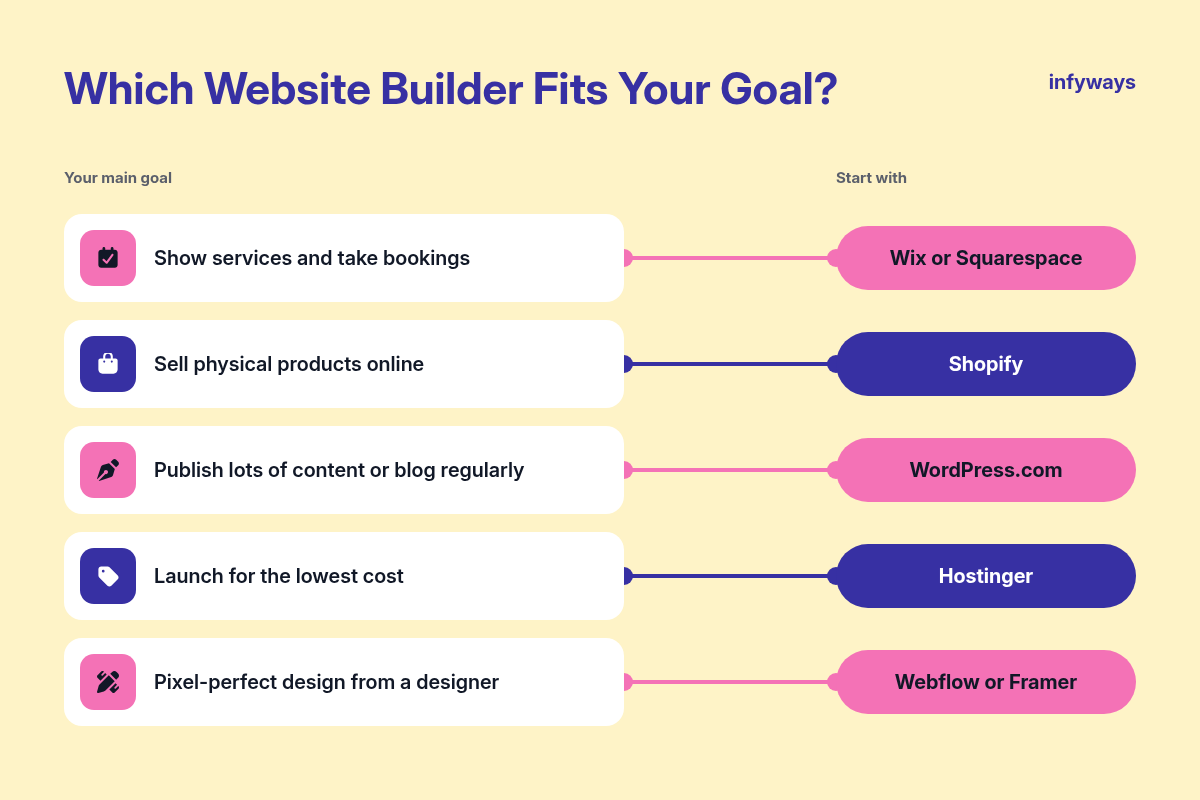
Start with your main goal and who will update the site, then check speed, SEO basics and the price you will pay after year one.
| Your main goal | Start with |
|---|---|
| Show services and take bookings | Wix or Squarespace |
| Sell physical products online | Shopify |
| Publish lots of content or blog regularly | WordPress.com |
| Launch for the lowest cost | Hostinger |
| Pixel-perfect design from a designer | Webflow or Framer |
- Speed: Google's Core Web Vitals ask for the largest content to load within 2.5 seconds. Test a template's demo on mobile before you commit.
- SEO basics: check you can edit page titles, descriptions, URLs and image alt text, which Google's SEO Starter Guide covers.
- Ownership: register the domain in your own name and know how you would export content if you leave.
- Total cost: add the plan, domain renewal, email, apps and payment fees for three years, not one.
Once the site is live, track where it ranks. Our list of websites to check Google keyword rankings is a good place to start.
Key insight: the best builder is the one your team will actually update. A simple site that changes every week beats a perfect site nobody touches.
10. When a Builder Isn't Enough: Hiring a Developer
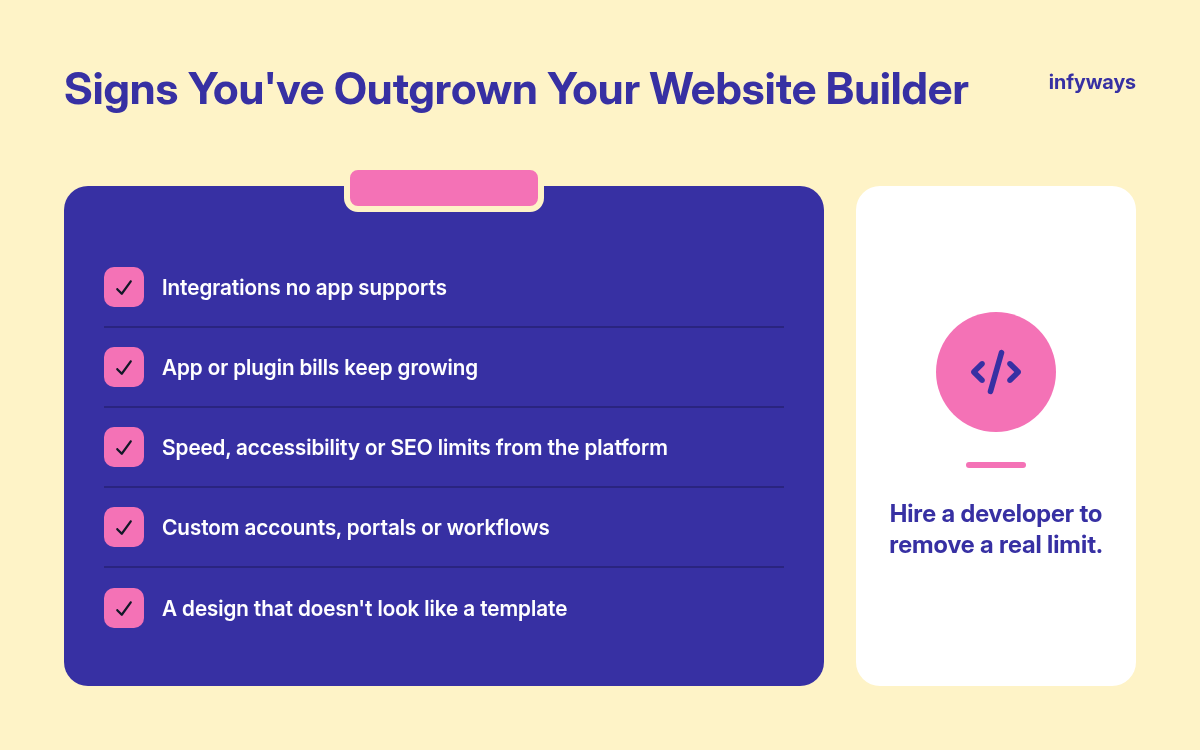
Move beyond a builder when your site needs custom features, deep integrations or performance and security your platform can't provide.
- You need to connect the site to a CRM, ERP, booking system or custom database in ways no app supports.
- Your app or plugin bills keep growing and still don't do quite what you need.
- Page speed, accessibility or SEO problems trace back to the platform rather than your content.
- You need custom user accounts, portals, calculators or workflows.
- You are rebranding and want a design that doesn't look like a template.
A good developer can also work alongside a builder, for example by building custom sections in WordPress or connecting Shopify to your back-office systems, so hiring help doesn't always mean starting over.
Key insight: hire a developer to remove a real limit, not because you are tired of the editor. Many small businesses do best with a builder plus a few hours of expert help each year.
Frequently Asked Questions
Wix and Squarespace are the easiest for most small businesses, because hosting, templates, forms and payments are all in one place and you edit pages with drag and drop. Both also have AI tools that create a first draft of your site from a short description of your business.
All the major builders cover the SEO basics, such as editable titles, descriptions, URLs and mobile-friendly pages. WordPress gives the most control through plugins, while Wix, Squarespace and Shopify include built-in SEO settings. Your content, page speed and links matter more than the platform you choose.
A free plan is fine for testing, but most businesses should upgrade. Free plans on Wix and WordPress.com use the platform's subdomain instead of your own domain, and WordPress.com free sites show ads to visitors. A paid plan adds your domain and removes platform branding.
On a website builder, expect roughly $50 to $600 a year for the plan itself, based on the yearly prices in this guide, plus domain renewal, email and any apps. Online stores add payment processing fees. A custom-designed site costs more up front but can lower app and plugin costs later.
Use a builder if your needs are standard and you want to manage the site yourself. Hire a designer or developer if you need a unique design, custom features or integrations, or if your time is better spent running the business than building pages.
The Bottom Line
Choose Wix or Squarespace for most service businesses, Shopify for stores, WordPress.com for content, and Hostinger if price is the deciding factor.
Pick the builder that matches your main goal, check the three-year cost, and keep your domain in your own name. Revisit the decision once a year as your business grows.
When your site needs more than a template can offer, our team at Infyways provides web design services for small businesses, from custom WordPress builds to store setups.
Sources
- W3Techs, "Usage statistics of content management systems". Checked November 12, 2026.
- WordPress.com, "Pricing". Checked November 12, 2026.
- Squarespace, "Pricing plans and features". Checked November 12, 2026.
- Wix, "Plans and pricing". Checked November 12, 2026.
- Shopify, "Pricing". Checked November 12, 2026.
- Hostinger, "Website builder" plans. Checked November 12, 2026.
- Webflow, "Pricing". Checked November 12, 2026.
- Framer, "Pricing". Checked November 12, 2026.
- Wix Blog, "How much is a Wix website?" (US prices, November 2026). Checked November 12, 2026.
- WordPress.org, "Get WordPress". Checked November 12, 2026.
- web.dev (Google), "Web Vitals". Checked November 12, 2026.
- Google Search Central, "SEO Starter Guide". Checked November 12, 2026.
Filed under Web Design