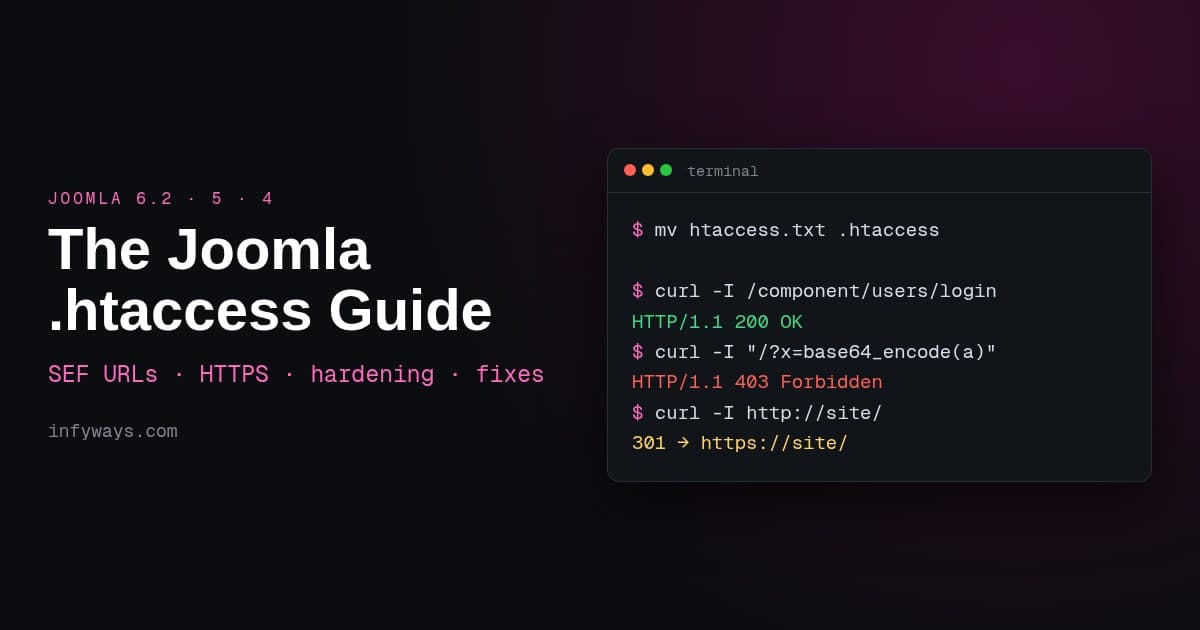
Joomla .htaccess Guide for Joomla 6.2, 5 & 4: SEF, HTTPS, Security (Tested)
Set up Joomla .htaccess on Joomla 6.2, 5 and 4: rename htaccess.txt, remove index.php, force HTTPS and www, add tested security rules, and fix 500 errors.
 Abhilash SahooFounder & CEO, Infyways
- Published
- Updated
- Reading time
- 8 min read
On this page 10 sections
- What is the Joomla .htaccess file and do I need it?
- What's in Joomla 6.2's htaccess.txt?
- How do I enable .htaccess and remove index.php from Joomla URLs?
- How do I force HTTPS and www with .htaccess in Joomla?
- Which security rules should I add to Joomla's .htaccess?
- Should I add caching and compression to .htaccess?
- Why does .htaccess cause a 500 Internal Server Error?
- Does .htaccess work for Joomla in a subfolder?
- What is the Nginx equivalent of Joomla's .htaccess?
- Frequently asked questions
Updated 15 October 2026 · By Abhilash Sahoo, Founder, Infyways
Quick answer: Joomla ships its Apache rules as htaccess.txt in the site root. To use it:
- Copy or rename it to
.htaccess. - Turn on System → Global Configuration → Site → Use URL Rewriting to remove
index.phpfrom URLs. - Put your own redirects (HTTPS, www) inside the file's Custom redirects block.
- If the site shows a 500 error, comment out
Options +FollowSymlinks. If it's in a subfolder, setRewriteBaseand the/api/paths.
The htaccess.txt in Joomla 6.2, the latest version, is byte-for-byte identical to Joomla 5.4.10's.
I tested every rule below on a real Joomla 5.4.10 site running on Apache 2.4 (XAMPP 8.2.12), installed in the /j5/ subfolder. I also compared the stock file against the Joomla 6.2.0 package. The images marked "real output" show the actual HTTP responses and log lines. Sources: Joomla's htaccess.txt guide, Joomla's SEF troubleshooting page and the Apache mod_rewrite docs.
What is the Joomla .htaccess file and do I need it?
On Apache and LiteSpeed, .htaccess holds per-folder server rules. Joomla's version does four jobs:
- it turns off directory listings
- it adds two security headers
- it blocks some common exploit query strings
- it routes clean SEF URLs to
index.php(and/api/toapi/index.php)
You need it if you want URLs without /index.php/. Nginx ignores the file, and IIS uses web.config.txt, which Joomla also ships. As Joomla's security checklist notes, updates never change your live .htaccess. They only replace htaccess.txt, so after a major upgrade, compare the two files yourself.
What's in Joomla 6.2's htaccess.txt?
| Section | What it does | Tested result |
|---|---|---|
Options +FollowSymlinks, -Indexes, IndexIgnore * | Lets mod_rewrite work and turns off folder listings | No listings |
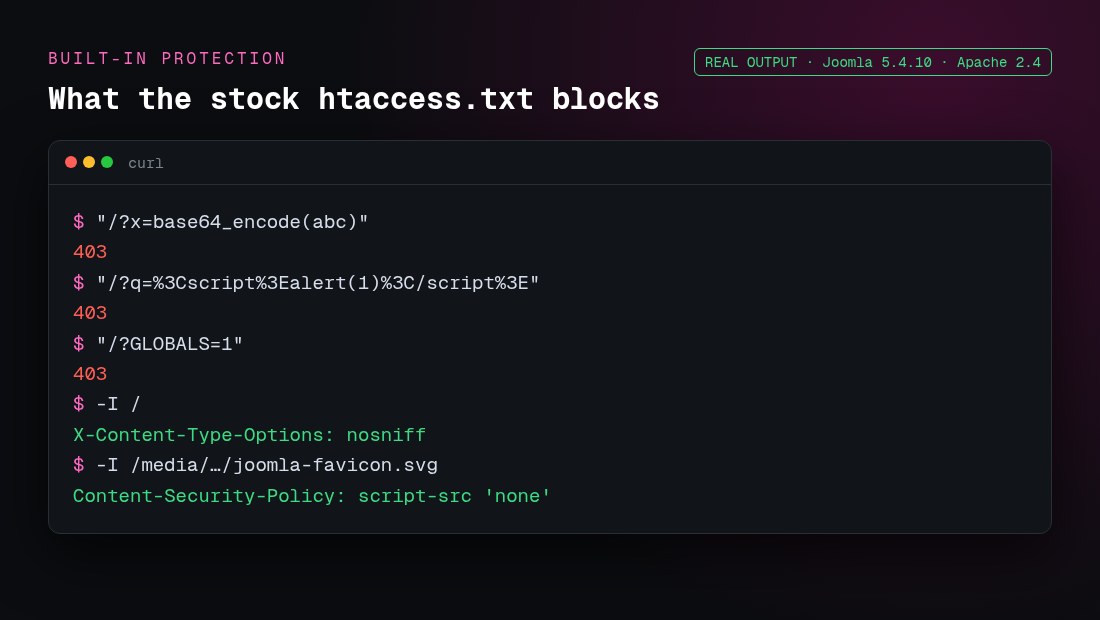
X-Content-Type-Options "nosniff" | Stops browsers guessing MIME types | Header present |
SVG Content-Security-Policy "script-src 'none'" | Blocks scripts when an SVG file is opened directly | Header present on .svg |
| Commented-out CORP/COEP headers | Optional cross-origin isolation | Off by default |
| Exploit rules (base64_encode, <script>, GLOBALS, _REQUEST) | Returns 403 Forbidden | 403, 403, 403 |
| Custom redirects block | Empty placeholder for your redirects | See below |
# RewriteBase / | For setups where URLs don't map to file paths | Not needed in my subfolder test |
| SEF section: API, then front end | Sends non-file requests to the right index.php | 200, and the API needed a subfolder fix |
RedirectMatch 302 ^/$ /index.php/ when mod_rewrite is missing | Keeps the site usable without rewriting | — |
| GZIP & Brotli section | Serves pre-compressed .css.gz and .js.gz files and avoids double compression | — |
How do I enable .htaccess and remove index.php from Joomla URLs?
- Back up any existing
.htaccess. Your host may have added rules, such as the PHP version handler. - Copy
htaccess.txtto.htaccessin the Joomla root, using the file manager or FTP. Copying keeps the original for later comparison. If a.htaccessalready exists, merge the host's lines into the new file. - Go to System → Global Configuration → Site → SEO Settings, set Search Engine Friendly URLs and Use URL Rewriting to Yes, and save.
- Open an inner page. If it loads without
/index.php/, it's working.
The order matters. I turned on URL Rewriting before renaming the file, and every inner URL returned 404. Old /index.php/… links returned a 301 to the clean URL, which Apache then couldn't serve:
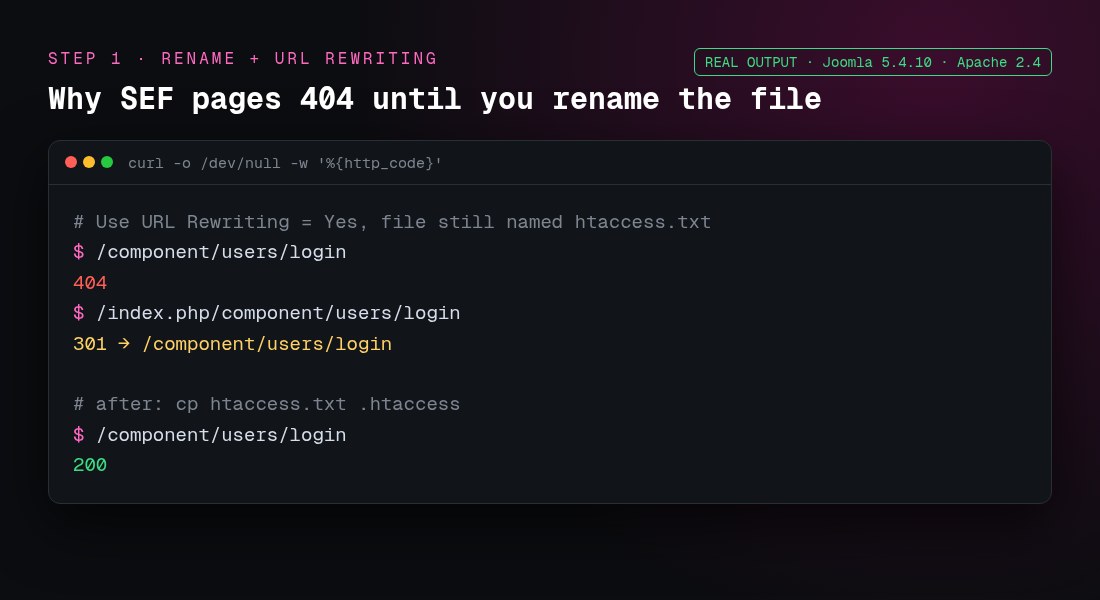
If the file is named correctly and inner pages still 404, Apache is ignoring it. The server needs AllowOverride All (or at least FileInfo Options) for your folder, and mod_rewrite must be loaded. Joomla's docs suggest a quick test: put only RewriteEngine On and a single redirect rule in the file and see whether the redirect fires.
How do I force HTTPS and www with .htaccess in Joomla?
First, set Global Configuration → Server → Force HTTPS → Entire Site. For a server-level 301, put these lines inside the stock file's Custom redirects block. That block sits after the exploit rules and before the SEF section, inside <IfModule mod_rewrite.c>:
	## Begin - Custom redirects
	# Force HTTPS
	RewriteCond %{HTTPS} off
	RewriteRule ^(.*)$ https://%{HTTP_HOST}%{REQUEST_URI} [R=301,L]
	# Force www
	RewriteCond %{HTTP_HOST} !^www\. [NC]
	RewriteRule ^(.*)$ https://www.%{HTTP_HOST}%{REQUEST_URI} [R=301,L]
	## End - Custom redirects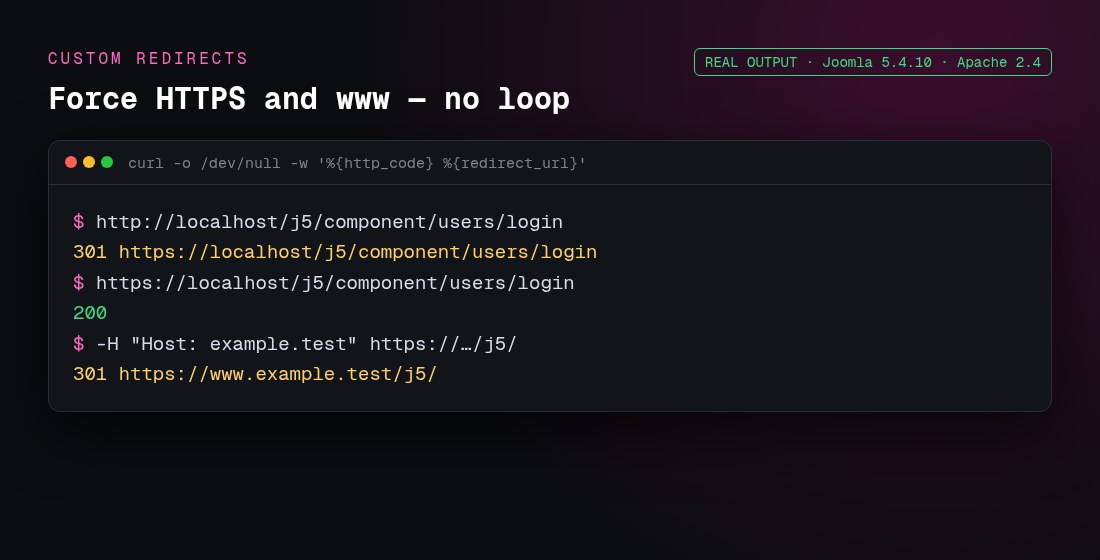
To go the other way (www to non-www), use RewriteCond %{HTTP_HOST} ^www\.(.+)$ [NC] with RewriteRule ^ https://%1%{REQUEST_URI} [R=301,L].
Behind Cloudflare or a load balancer, Apache sees plain HTTP, and %{HTTPS} off loops forever. Add RewriteCond %{HTTP:X-Forwarded-Proto} !https to the HTTPS rule. Also set Global Configuration → Server → Behind Load Balancer to Yes. Test redirects with a 302 first, because browsers cache 301s.
Which security rules should I add to Joomla's .htaccess?
Each of these was tested on the site and is written in Apache 2.4 syntax. Many older guides, including Joomla's own, still show Apache 2.2's Order Deny,Allow, which only works if mod_access_compat is loaded.
1. Stop PHP running in upload folders
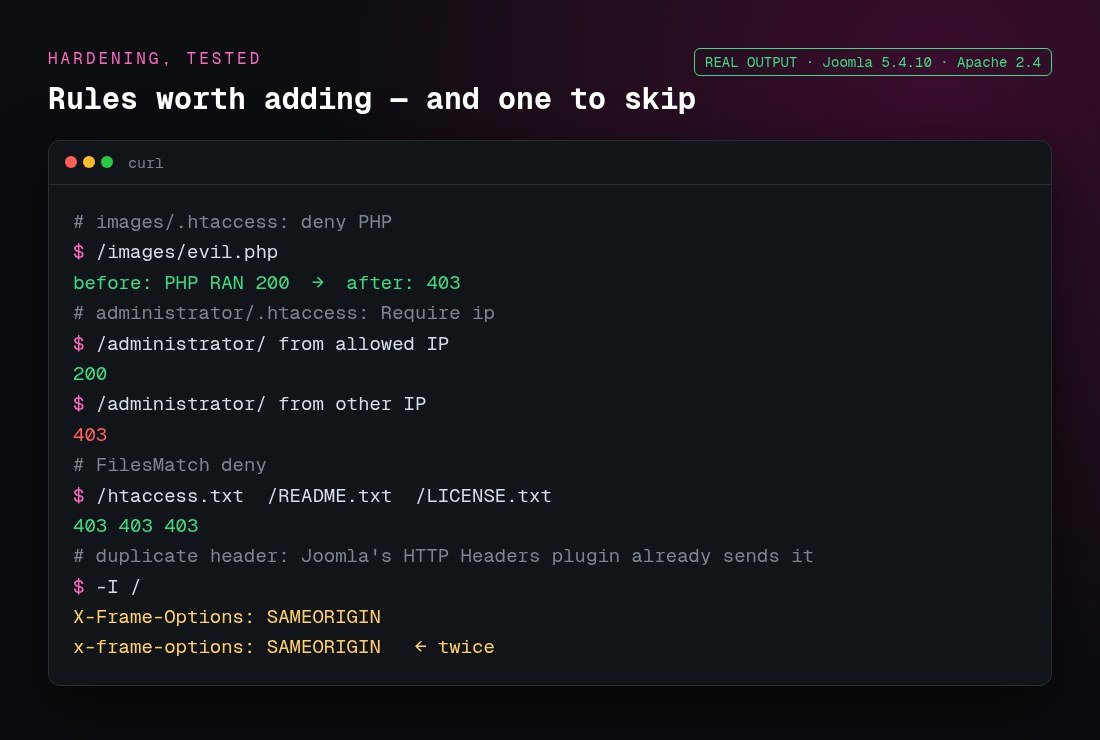
This was the most useful rule in testing. A test images/evil.php ran before and returned 403 after. Put it in images/.htaccess, and also in media/ and tmp/ if no extension needs PHP there:
<FilesMatch "\.(php|phtml|phar|php[0-9])$">
	Require all denied
</FilesMatch>
2. Limit /administrator to your IP
# administrator/.htaccess
<RequireAny>
	Require ip 203.0.113.10
</RequireAny>
In my test, the allowed IP got 200 and another IP got 403. Only use this if your IP is fixed. Otherwise use Joomla's Multi-factor Authentication or the Administrator Secret URL feature of a security extension.
3. Hide files that reveal versions or settings
<FilesMatch "\.(ini|log|sql|bak|sh|dist|md)$|^(htaccess\.txt|web\.config\.txt|README\.txt|LICENSE\.txt|configuration\.php-dist)$">
	Require all denied
</FilesMatch>
All three test files returned 403, and robots.txt still returned 200. configuration.php is PHP, so the web server doesn't show its contents. Protect it with file permissions (444 or 440) instead.
4. Don't duplicate security headers Joomla already sends
Joomla's System - HTTP Headers plugin is enabled by default. It already sends X-Frame-Options and Referrer-Policy. When I also set them in .htaccess, every response carried each header twice. Configure headers, including HSTS and CSP, in the plugin, or turn the plugin off if you manage them in Apache. Our Joomla security guide covers the rest of the hardening.
Should I add caching and compression to .htaccess?
The stock GZIP section only serves .css.gz and .js.gz files that already exist. It doesn't compress anything itself. If your host doesn't already compress responses, add mod_deflate and browser caching:
<IfModule mod_deflate.c>
	AddOutputFilterByType DEFLATE text/html text/css text/javascript application/javascript application/json image/svg+xml
</IfModule>
<IfModule mod_expires.c>
	ExpiresActive On
	ExpiresByType image/webp "access plus 1 year"
	ExpiresByType image/png "access plus 1 year"
	ExpiresByType image/svg+xml "access plus 1 year"
	ExpiresByType font/woff2 "access plus 1 year"
	ExpiresByType text/css "access plus 1 month"
	ExpiresByType text/javascript "access plus 1 month"
</IfModule>
With these rules, HTML and CSS responses came back with Content-Encoding: gzip, and CSS files returned Cache-Control: max-age=2592000 (30 days). Joomla's own warning in the file still applies: if you see ERR_CONTENT_DECODING_FAILED or a broken layout, the server is already compressing, so remove one of the two. Don't also turn on Global Configuration → Server → Gzip Page Compression if the server compresses HTML.
Why does .htaccess cause a 500 Internal Server Error?
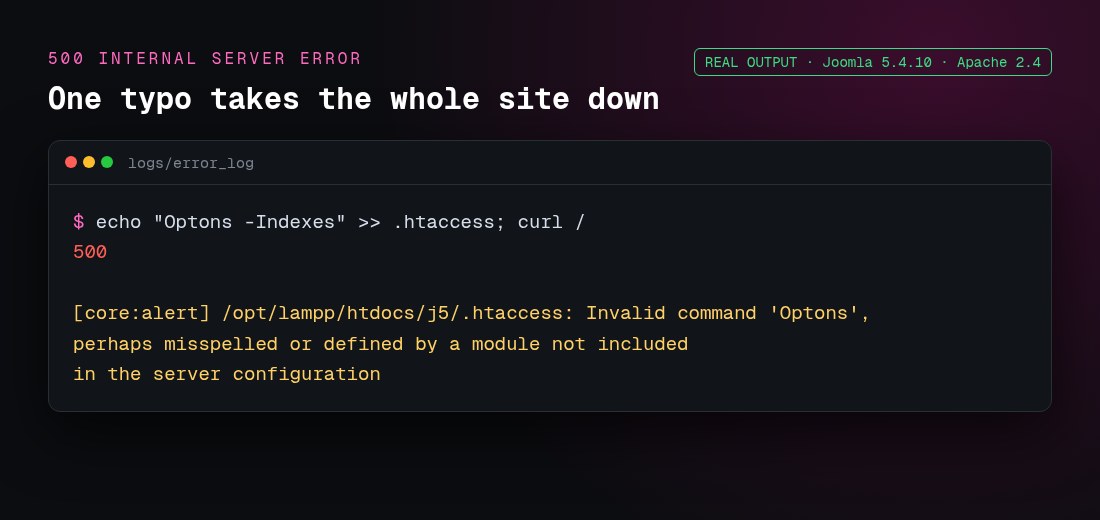
Apache refuses to serve any page in a folder whose .htaccess contains an invalid line. A single typo did this on my test site, and the error log named the exact problem:
| Symptom | Cause | Fix |
|---|---|---|
| 500 right after the rename | Options +FollowSymlinks isn't allowed by the host | Comment it out, as the file itself suggests |
| 500 with "Invalid command 'php_value'" | PHP runs as FastCGI or FPM, not mod_php | Remove it and use .user.ini (see Joomla php.ini settings) |
| 500 with "Invalid command 'Header'" or "'Expires…'" | The module isn't loaded | Wrap the lines in <IfModule> or ask the host |
| Home page works, inner pages 404 | File not renamed, AllowOverride None, or mod_rewrite off | Rename the file, then check the server config |
| Subfolder site: inner pages 404 | URLs don't map to file paths (aliases, userdir) | Uncomment RewriteBase /yourfolder |
| Subfolder site: API returns the front-end 404 | Stock rule matches ^/api/ only | Change it to ^/yourfolder/api/ |
| ERR_TOO_MANY_REDIRECTS | HTTPS rule behind a proxy, or Joomla's Force HTTPS fighting the proxy | Add the X-Forwarded-Proto condition and turn on Behind Load Balancer |
| Broken CSS or JS, ERR_CONTENT_DECODING_FAILED | Double gzip | Comment out the GZIP section |
| Changes have no effect on OpenLiteSpeed | Rules are read at startup | Restart the web server, as noted in the file |
Read the exact error in your host's error log, or in logs/error_log on Apache. For a mod_rewrite-specific 500, see our Joomla mod_rewrite 500 fix.
Does .htaccess work for Joomla in a subfolder?
Mostly. With Joomla in /j5/, front-end SEF URLs worked without changing RewriteBase, because the folder maps directly to the URL. The API didn't work. The stock condition RewriteCond %{REQUEST_URI} ^/api/ never matched /j5/api/…, so API calls went to the front end and returned 404. Changing both API lines fixed it:
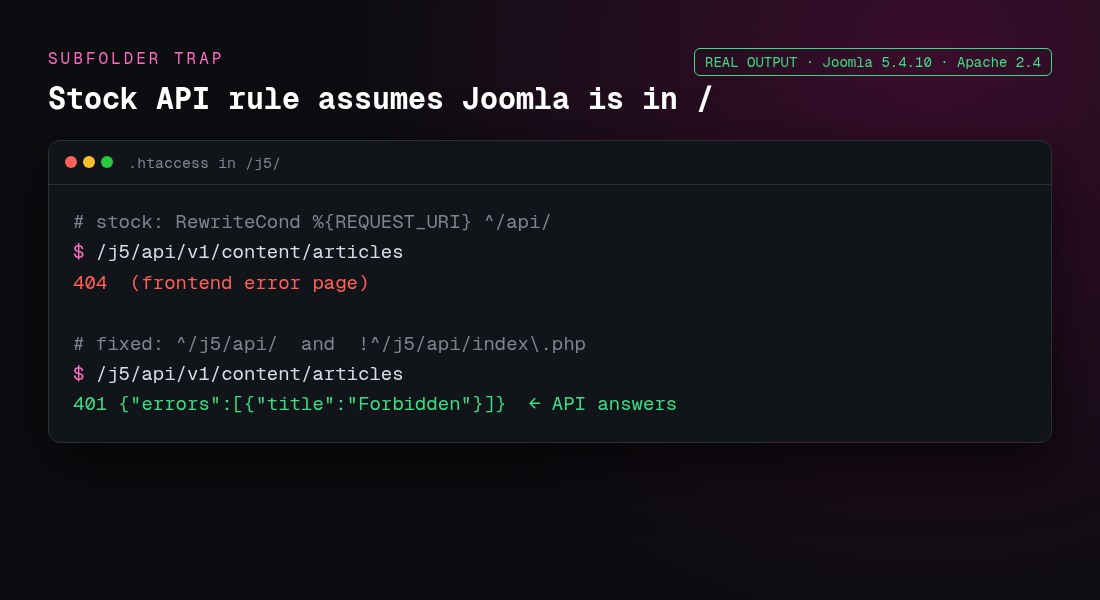
	RewriteCond %{REQUEST_URI} ^/j5/api/
	RewriteCond %{REQUEST_URI} !^/j5/api/index\.php
A .htaccess in the parent folder also applies. If another CMS lives in the root, make sure its rules don't capture /j5/ requests.
What is the Nginx equivalent of Joomla's .htaccess?
Nginx doesn't read .htaccess. The routing part translates to try_files in the server block:
location /api/ {
    try_files $uri $uri/ /api/index.php?$args;
}
location / {
    try_files $uri $uri/ /index.php?$args;
}
location ~* /(images|media|tmp)/.*\.php$ {
    deny all;
}
Add the HTTPS redirect, headers and caching as Nginx directives, then run nginx -t and reload Nginx.
Frequently asked questions
Filed under Joomla