[Fixed] MySQL Database not running XAMPP 7.2.31 macOS
After installation of XAMPP on macOS when you try to start the MySQL Database using the Application Manager, you might face issues with running it. I spent hours to change the port and did everything. But finally, the following steps helped me fix the issue. Step 1 Go to the Application > Utilities and Open

Abhilash Sahoo
Updated 2 min read
![[Fixed] MySQL Database not running XAMPP 7.2.31 macOS](/_next/image/?url=https%3A%2F%2Fdata.infyways.com%2Fwp-content%2Fuploads%2F2020%2F07%2Fmysq-not-running-xampp.png&w=3840&q=75)
After installation of XAMPP on macOS when you try to start the MySQL Database using the Application Manager, you might face issues with running it. I spent hours to change the port and did everything. But finally, the following steps helped me fix the issue.
Step 1
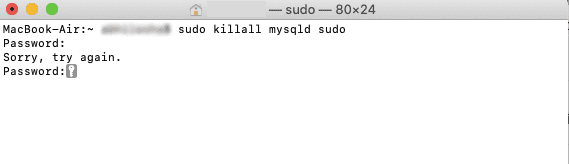
Go to the Application > Utilities and Open the Terminal. Once you open the terminal, paste or type the following command to close if MySQL is already running. Enter the user account password if it asks for your macOS user.sudo killall mysqld sudo
Step 2
Once you kill the MySQL process, start it again using the following command./Applications/XAMPP/xamppfiles/bin/mysql.server startIf it doesn't work, change the permission of the file
/Applications/XAMPP/xamppfiles/etc/my.cnf from 'read-only' to 'everyone' and then start the MySQL from XAMPP Application Manager.
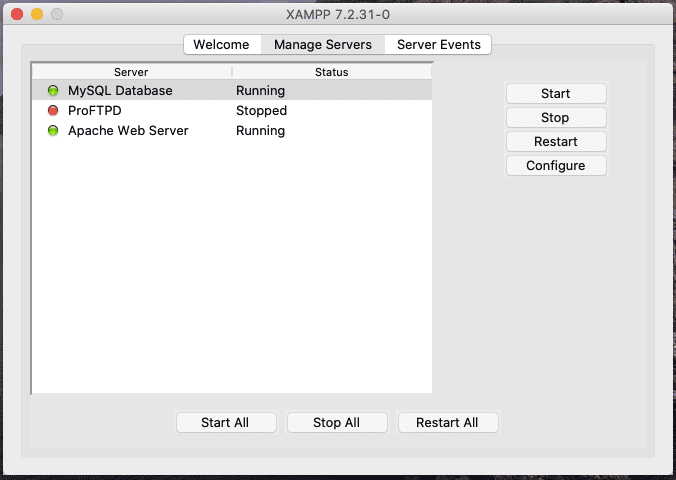
You can also set the Port to 3307 by clicking on the Configure button in the XAMPP Manager.
Conclusion
XAMPP Manager is easy to use and configure. But sometimes you might face issues with starting apache and MySQL due to configuration or conflict of the port. Changing the port and restarting the services always help in fixing issues with XAMPP application manager. If you are still struggling with starting any of the XAMPP services, leave a comment below. I will get back to you as soon as possible and help you in running the services.
Written by
Abhilash Sahoo
Abhilash Sahoo, with over 16 years of experience, is Founder & CEO of Infyways Solutions. He builds web platforms and eCommerce on Joomla, WordPress, Shopify, Magento, and OpenCart, plus modern stacks like Next.js, React, Node.js, and Python, with AI agents, automation, and headless CMS when products need to scale.
Keep reading